How Accurate Is OnlyFans Location Tracking for User Privacy? How Accurate Is OnlyFans Location Tracking for User Privacy? Ever wondered if OnlyFans can accurately pinpoint your location? You're not alone. Whether you're a creator or a subscriber, privacy on OnlyFans is a hot topic. With online privacy concerns growing daily, it's natural to question what …

How Accurate Is OnlyFans Location Tracking for User Privacy?
Ever wondered if OnlyFans can accurately pinpoint your location? You’re not alone. Whether you’re a creator or a subscriber, privacy on OnlyFans is a hot topic. With online privacy concerns growing daily, it’s natural to question what kind of personal information platforms like OnlyFans can access—especially your location.
In this blog post, we’ll break down exactly what OnlyFans knows about your location, how accurate it is, and what you can do to protect your privacy. We’ll keep it simple, friendly, and straight to the point so that you feel confident managing your digital presence.
What Does OnlyFans Know About Your Location?
To start things off, let’s answer the big question: Does OnlyFans track your location? Yes, it does—but maybe not in the way you’re imagining.
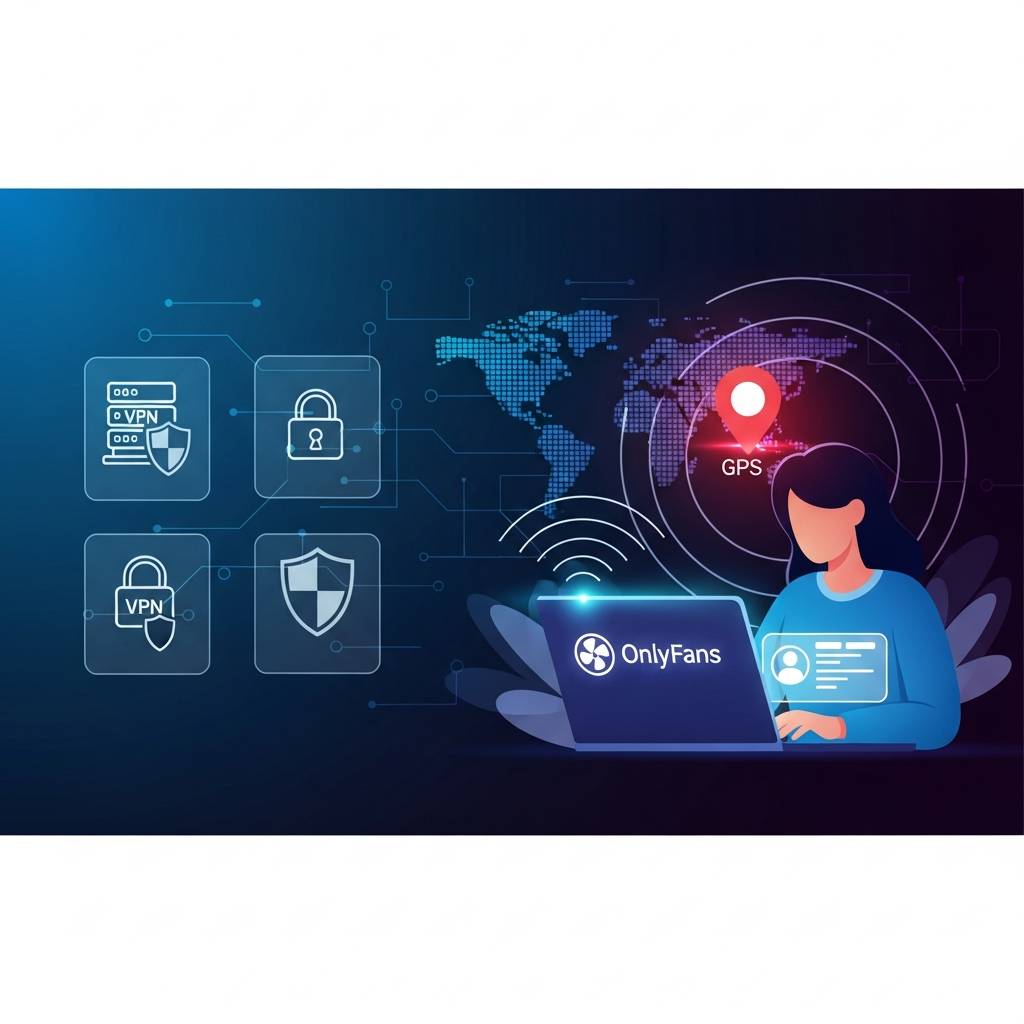
OnlyFans doesn’t use GPS tracking like your phone’s map apps do. Instead, it relies on other methods to determine where you’re logging in from. Let’s look at the key ways OnlyFans gathers this information:
- IP Address: This is the most common way websites track your location. Whenever you go online, your device sends an IP address—a unique number connected to your internet network. This can be used to estimate your location.
- Billing Information: If you’re paying for subscriptions or receiving payments, your billing address gives another clue about where you’re located.
- Device and Browser Info: The platform may collect data about your device, browser, and even your time zone settings to prevent fraud and improve security.
So, while there’s no satellite hovering over your head tracking your every move, your general location is definitely visible to OnlyFans through digital footprints.
How Accurate Is OnlyFans’ Location Tracking?
This is where things get interesting.
Location tracking via IP address isn’t perfectly accurate. It can usually tell which city or region you’re in, but it’s unlikely to get your exact home address—unless other data, like your billing info, confirms it.
Here’s how location accuracy typically breaks down:
- Country-Level Accuracy: Nearly 100% correct
- State or Region-Level: Around 75–95% accurate
- City-Level: Often 50–80% accurate
- Street Address: Not possible through IP alone
To compare it to something more familiar: Think of your IP address like your zip code. It gets you in the area but not right to your doorstep.
So yes, OnlyFans can get a decent idea of where you’re coming from, but they’re not watching you through a camera.
What About Creator Location Privacy?
If you’re a content creator on OnlyFans, you might be even more worried about staying anonymous. After all, your safety and peace of mind matter.
Here’s what you should know:
- Your Subscribers Can’t See Your Location: OnlyFans does not show your IP address or location to subscribers.
- OnlyFans Can See It: The platform itself holds your location data for verification, payment, and security purposes.
- Your Uploaded Content Could Reveal Location: Be cautious of photos and videos that might inadvertently share personal details, such as landmarks or home interiors.
- Metadata in Media: Make sure to remove EXIF data (metadata attached to images) before uploading. This can include your GPS coordinates.
If you’re really serious about staying private, use tools like VPNs (Virtual Private Networks) and double-check what you’re sharing with every post. More on that later.
Can You Hide Your Location on OnlyFans?
Short answer: Yes, to some extent.
You can’t completely vanish from the face of the digital Earth, but you can limit the information that OnlyFans—or any third parties—can see. Here’s how:
1. Use a VPN
A VPN masks your IP address, making it look like you’re logging in from another location. If you’re in New York, it can make it look like you’re in Paris.
Why is this helpful? It adds an extra layer of privacy and prevents OnlyFans from pinpointing your real city or country.
2. Be Mindful of Metadata
Remember what we said about images? Metadata can sneakily tag your digital content with your location. Before uploading any photo or video, strip the metadata. There are free tools online that can help you do this in seconds.
3. Edit Your Bio and Content
Sometimes we overshare without realizing it. A small location tag in your bio or background clues in your pics can give things away. Do a quick audit of your profile and content to spot anything that might hint at where you live.
4. Use a Separate Business Identity
Think about using a business email and a new digital identity just for your OnlyFans work. This separates your real-life information from your creator profile, which improves overall privacy.
Has OnlyFans Ever Leaked Location Data?
It’s a valid concern. With data breaches making headlines regularly, people want to know: Can I trust OnlyFans with my location?
As of now, there’s been no publicized breach specifically involving leaked user location data directly from OnlyFans. However, there have been content leaks where creators’ media was stolen and shared elsewhere, often including identifying features.
So while the platform itself hasn’t been exposed for sharing location data, it’s still up to users to be careful with what they post and how they post it.
Why User Privacy on OnlyFans Matters
Imagine going viral overnight… but for the wrong reason. If your private account is linked back to your real identity or hometown, it could lead to uncomfortable situations—or worse, safety issues.
User privacy isn’t just about staying low-key. It’s about keeping your personal space secure.
This is especially important for individuals working in adult entertainment, online side hustles, or crowdfunding through platforms like OnlyFans. You deserve to feel secure doing your thing, whatever that may be.
Best Tips to Protect Your Location on OnlyFans
Let’s do a quick roundup of the best privacy practices so you don’t lose out on security.
- Always Use a VPN – This masks your IP and enhances your location privacy.
- Don’t Share Personal Photos Without Checking – Watch for clues in the background.
- Strip Metadata from Media – Use tools like Photo Exif Editor or ImageOptim.
- Create a New Business Persona – Separate emails, names, and even payment accounts where possible.
- Review Your Content Regularly – Make sure you haven’t unintentionally revealed anything.
Want expert help maintaining your OnlyFans success while protecting your privacy?
🔍 Want to Grow Smarter on OnlyFans Without Risking Your Privacy?
OnlyGuider has your back. We offer tips, tools, and insider strategies to stay safe while making real income.
Frequently Asked Questions (FAQs)
Does OnlyFans publicly share my location?
No, your location is never shown to the public or other users. OnlyFans uses it internally for security and payment compliance.
Can people find my location through what I post?
Possibly. If your content includes visual clues like street signs, license plates, or metadata, someone determined enough might figure things out. Be careful when posting.
Can VPNs completely hide my location on OnlyFans?
VPNs greatly reduce the chances of location exposure, but they don’t make you invisible. When used correctly, they are a strong privacy tool.
Is it legal to hide your location on OnlyFans?
Yes, using a VPN is entirely legal in most countries. However, ensure you follow OnlyFans’ TOS and local laws in your country.
Final Thoughts: Stay Smart, Stay Private
Online privacy isn’t just for tech wizards or conspiracy theorists. In today’s digital world, protecting your location and identity is a must, especially on platforms like OnlyFans that handle sensitive content.
No platform is 100% risk-free. But with a few smart choices—like using a VPN, managing your digital footprint, and being careful about what you share—you can enjoy OnlyFans with confidence and peace of mind.
Need more tools and tips? Don’t leave your privacy to chance.
🛡️ Stay Safe While Building Your Brand
Join the community at OnlyGuider and get access to the latest privacy tools, tips, and resources to grow your OnlyFans confidently.
Thanks for reading, and stay safe out there!