How Does OnlyFans Work for Viewers? Step-By-Step Guide How Does OnlyFans Work for Viewers? Step-by-Step Guide Heard about OnlyFans and wondering what all the fuss is about? Maybe a friend mentioned it, or you saw a post pop up on social media. Either way, if you’re asking yourself, “How does OnlyFans work for viewers?” — …

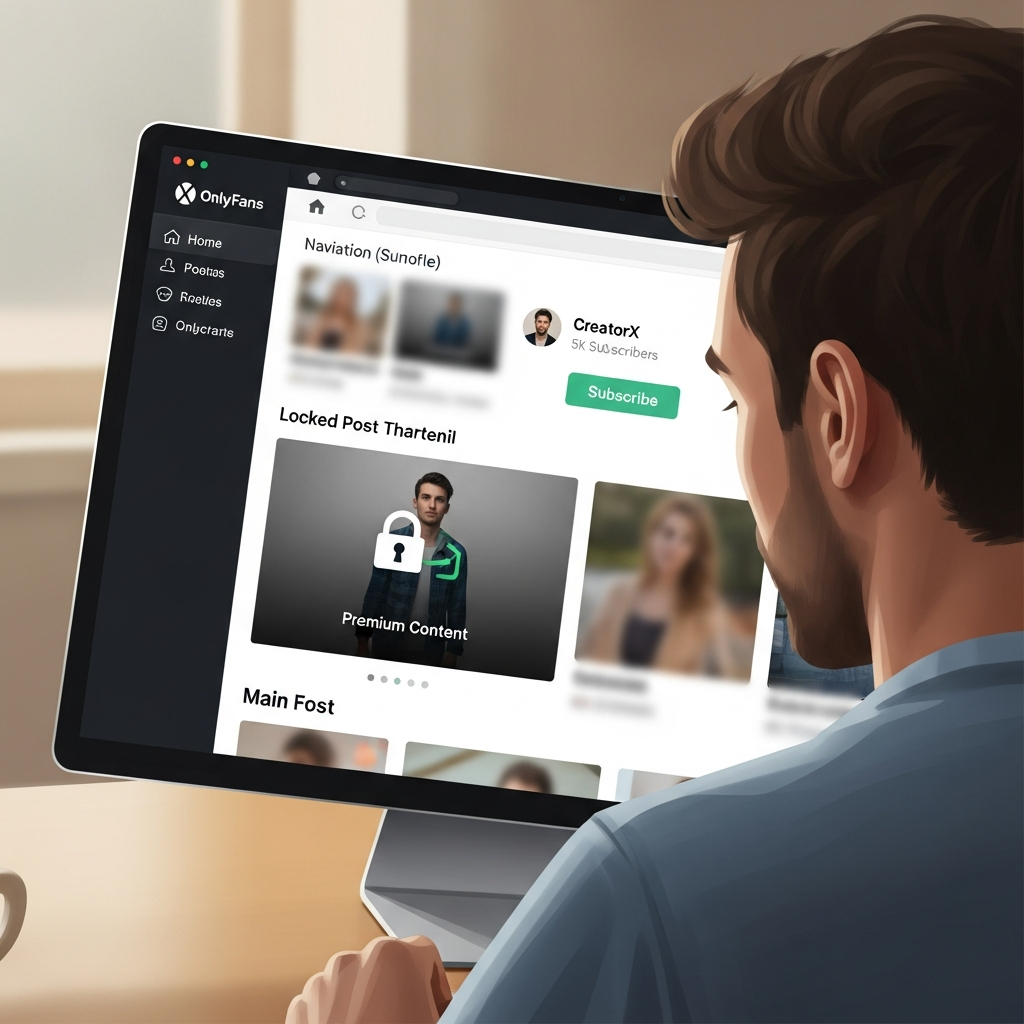
How Does OnlyFans Work for Viewers? Step-by-Step Guide
Heard about OnlyFans and wondering what all the fuss is about? Maybe a friend mentioned it, or you saw a post pop up on social media. Either way, if you’re asking yourself, “How does OnlyFans work for viewers?” — you’re in the right place.
In this guide, we’ll walk you through everything you need to know about using OnlyFans as a viewer. From signing up and exploring content to subscribing to your favorite creators, we’ll break it all down into easy, step-by-step explanations.
Let’s dive in and explore!
What is OnlyFans, Anyway?
OnlyFans is a content platform that allows creators to share exclusive content with their audience, often behind a paywall. While it’s commonly known for adult content, it also hosts creators from other niches — think fitness coaches, musicians, artists, and even chefs.
From a viewer’s perspective, think of it like Netflix… but instead of watching shows and movies, you subscribe to individual creators who offer unique content that you can’t get anywhere else.
So, can viewers use OnlyFans for free?
Yes, some creators offer free subscriptions, but most premium content will require a paid subscription. Don’t worry — we’ll explain how payments work and what you’re really getting for your money a little later on.
Step 1: How to Sign Up for OnlyFans as a Viewer
First things first, you need an account. Luckily, it’s pretty simple:
- Go to the OnlyFans website: Just open your browser and type onlyfans.com.
- Click on “Sign Up for OnlyFans”: You’ll see the signup button on the homepage.
- Use your email, Twitter, or Google account: You can create an account with any of these methods for quick access.
Once you’re signed in, you’ll have access to the main dashboard where you can start exploring creators.
Pro tip: Use a strong password and keep your login details private. OnlyFans deals with sensitive content, so you want your account to remain secure.
Step 2: Finding Creators to Follow
Now comes the fun part — discovering creators!
Unfortunately, OnlyFans doesn’t have a search bar on the platform (yes, you read that right). Instead, you’ll need to find creators outside the platform — usually through:
- Social Media: Many creators promote their OnlyFans on Twitter, Instagram, or Reddit.
- Third-party directories like OnlyGuider: These sites list top-rated creators by niche.
If you already know someone’s handle, you can also go directly to their profile using this format:
onlyfans.com/username
Example: If someone’s username is “JaneDoeVIP”, just go to onlyfans.com/JaneDoeVIP.
Want to find the best creators fast?
Try our curated OnlyFans directory — browse by category, gender, popularity, or theme!
Step 3: How Subscriptions Work on OnlyFans
This is where many viewers get confused. So let’s make it super clear:
- Most creators charge a monthly fee: This can range from $4.99 to $49.99 depending on the creator.
- Some creators offer free subscriptions: These often include limited content, but you can unlock premium content through pay-per-view (PPV).
- You’re billed monthly: Once you subscribe, you’ll be billed automatically each month unless you cancel.
What do you get with a subscription?
It varies by creator, but usually includes:
- Exclusive photos and videos
- Behind-the-scenes content
- Access to DMs or custom requests
- Livestreams or interactive posts
It’s like being part of a VIP club — you’re paying for content that no one else can see unless they’re subscribed too.
Step 4: Exploring the Content Platform
Once you’ve subscribed to a creator, their content shows up on your home feed.
It looks a bit like a social media timeline — you’ll see:
- Posts (photos, videos, or text)
- Stories or livestreams
- Locked content that you can unlock with tips (PPV)
You can also interact with creators by:
- Liking posts
- Sending private messages
- Requesting custom content (if they allow it)
Think of it like a more private, personalized version of Instagram or Snapchat — but with the option to support the creators you love.
Step 5: Making Payments Safely
OnlyFans uses a secure payment system for all transactions. You can pay with:
- Credit or debit cards (Visa, Mastercard)
- Prepaid cards (just make sure international transactions are allowed)
Important: Your bank statement will NOT show “OnlyFans” for privacy reasons. It will show a random code like “Fenix Intl” instead.
When you make a payment, whether it’s a monthly subscription or tip, the funds go directly to the creator (after OnlyFans takes their share).
Step 6: How to Cancel a Subscription
Not feeling the content anymore? You can cancel anytime:
- Go to the creator’s profile
- Click the “Subscribed” button
- Choose “Turn Off Auto-Renew”
You’ll still have access to the content until the billing period ends, but you won’t be charged again next month.
Why cancel?
Maybe the creator stopped posting or the content wasn’t what you expected. That happens, and that’s okay. You can always explore new creators that better match your taste.
Step 7: Staying Anonymous (If You Want To)
Worried about privacy? Many viewers prefer to stay anonymous — which is totally fine! Here are ways to keep your identity private:
- Use a nickname or alias: No one sees your real name except the payment processor.
- Use a secondary email: Create a new email address just for OnlyFans.
- Turn off auto-renew on subscriptions after you subscribe, so you always stay in control.
Only the creators you message directly might see your profile username. But again, this can be random — use something that doesn’t reveal personal info.
Premium Features: Tips, Custom Content & PPV
Some creators go beyond subscriptions by offering:
- Custom videos or messages
- One-on-one chats or sexting
- Pay-per-view (PPV) content
Tips are another way to support creators. You can tip them directly on posts or via DM. Some creators even offer rewards in exchange for tips!
Imagine it like a digital tip jar mixed with a private club experience.
FAQs: What New Viewers Ask All the Time
Can viewers get banned?
Yes. Being disrespectful or violating the community rules can get your account suspended or banned from messaging creators.
Are all OnlyFans creators doing adult content?
Nope! While it’s popular for NSFW content, many YouTubers, artists, and coaches use OnlyFans to build communities and monetize exclusive content.
Is it really worth subscribing?
That depends on what you’re looking for. If you want exclusive, behind-the-scenes access to your favorite personalities — it’s often worth the price of a coffee each month.
Quick Recap: How OnlyFans Works for Viewers
- Create a free account
- Find creators by social media or trusted directories
- Subscribe to unlock content
- Enjoy photos, videos, DMs, and more
- Tip or purchase premium content optionally
- Cancel anytime — no pressure
Ready to See What OnlyFans Has to Offer?
Whether you’re curious about a specific creator, looking to explore a new experience, or just want to support your favorite influencer, OnlyFans offers a fun, personalized spin on content consumption.
But remember — finding the right creators makes all the difference. That’s why we curate and review the best talent online.
Enjoy responsibly and happy exploring!